
Way back in June 2021 I put together the original list of jobs that I felt (at the time) Good Mood needed. Over the following months the list got reprioritised, added to, and reduced (just a little). From the original list a few things remained undone, but they’ve slowly been climbing up the charts (to use a phrase):
- Rope and line audit
- Recalibrate the windex instrumentation
- Check internal (12v) lighting
- Check navigation lights
- Audit, clean and service the anchor (s/be 15Kg Rocna/Spade)
- Audit, clean and mark out the anchor chain (s/be 40m 8mm chain)
- Clean all above decks superstructure
- Clear the cockpit drains
- Fit USB charger sockets
- Haul out, washdown, antifoul, paint and polish
- AIS
- New chartplotter
- New running rigging
Well, these have all been completed (I’ll go back and retrospectively cross them off the list in a minute), but the big ticket item is the AIS/chartplotter.
Nothing about the AIS/chartplotter installation has been straightforward. It continued to be not straightforward even when the physical installation had (eventually) been completed.
Raymarine Tech Support (thanks, Derek!) suggested an upgrade of the AIS 700 software and the Axiom 7 software would fix the status problem that the shakedown cruise identified.
So I downloaded the latest release of operating system (it’s a product called ‘Lighthouse’) and all the apps for the chartplotter and the AIS. It downloads as a zip file which extracts to 900Gb of stuff. But how do you get 900Gb of upgrade onto the chartplotter on your boat? (I hear you ask).
Well, (and thanks for asking) you need to get the upgrade off your laptop and onto a MicroSD card. Then you take the MicroSD card to your boat, insert it into the back of the chartplotter, trigger the upgrade process, and the intelligent Lighthouse product performs the upgrade on both the AIS and the chartplotter.
Yay!
Except you insert the MicroSD card and trigger the upgrade process and the chartplotter says ‘I can’t find an upgrade on this MicroSD card’. Or words to that effect. But you know you put it on there two days ago so you start the upgrade process again. ‘I can’t find an upgrade on this MicroSD card’, it says again. So you take the card out of the slot, make sure the contacts look good, insert it and trigger the upgrade process again. Guess what? ‘I can’t find an upgrade on this MicroSD card’ pops up on the screen again.
So you take out a spare MicroSD card (which you brought with you because you weren’t born yesterday and you’ve worked in IT waaaay too many years), from your rucksack, and copy onto it all the upgrade files from your laptop (which you also brought with you because you weren’t born yesterday and you’ve worked in IT waaaay too many years).
And then you insert the spare MicroSD card into the back of the chartplotter and trigger the upgrade process and it says ‘I can’t find an upgrade on this MicroSD card’. Again.
So you figure out that the MicroSD card in the back of the chartplotter isn’t going to work for you today. But that’s OK. So you enable network and WiFi on the chartplotter. Then you connect the chartplotter to the Marina’s WiFi, navigate to the Raymarine website and download, straight on to the chartplotter, the same 900Gb of upgrade that’s on the two MicroSD cards and your laptop. It takes a while because 900Gb of data over the Marina WiFi is quite a lump of stuff. But that’s alright. You sit back in the cockpit and have your lunch.
After a while the upgrade magically does its stuff. First the AIS is upgraded, then the chartplotter is upgraded. Everything reboots and reconnects and Robert’s your mother’s brother… it all works!
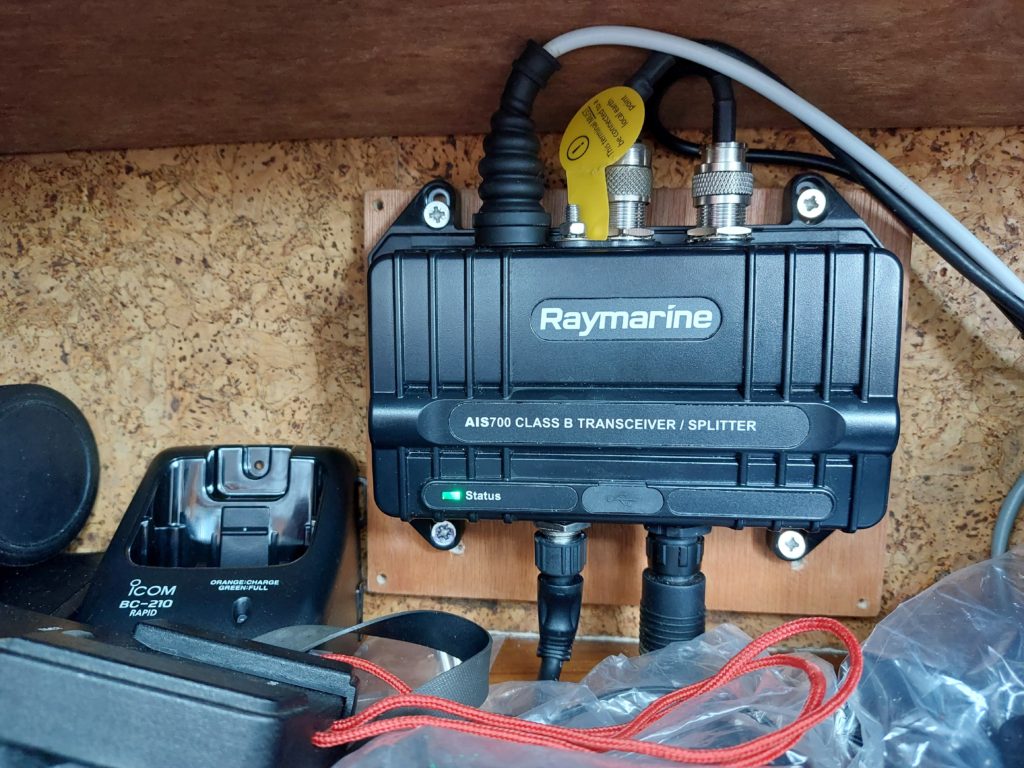
Here’s the AIS 700 with a green status light:
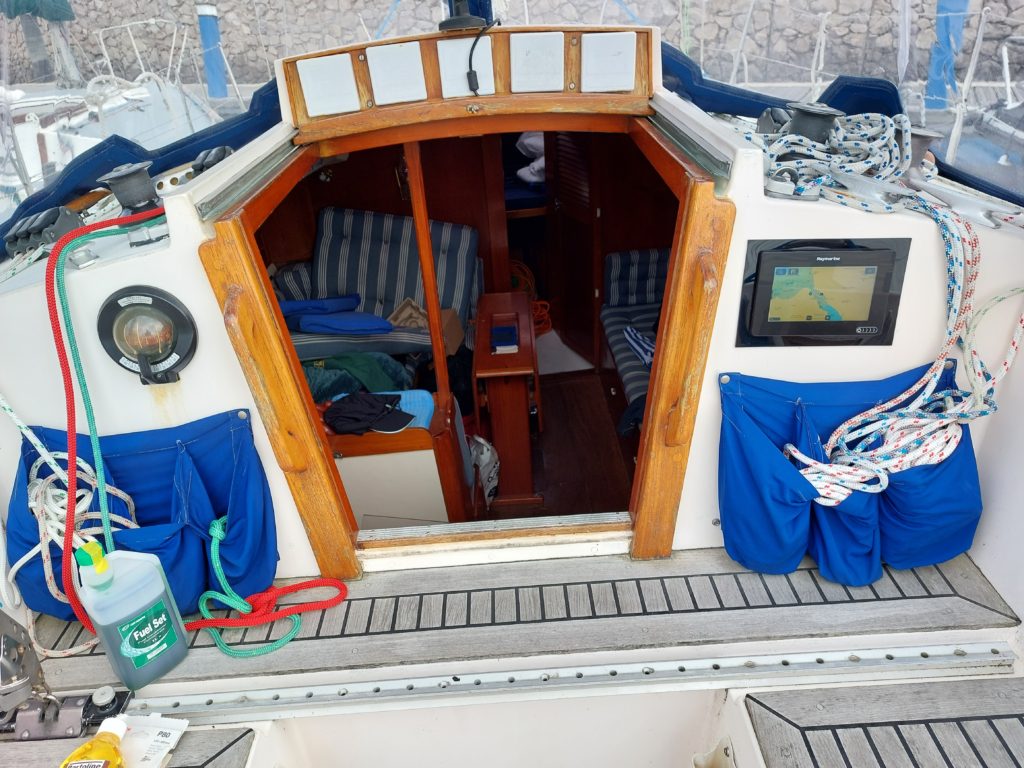
And here’s what the chartplotter installation look like in the cockpit:
All in all, not a bad day’s work. Now I can start to decommission some of the legacy instruments that are mounted over the companionway hatch.
900 GB sounds awfully large, but I guess there will be all manner of graphics assets within. I assume you will keep basic analogue instruments for those times the digital stuff decides to pack a sad? The reliance on complex digital systems these days is a bit of a worry. I was just reading an article that mentioned rebooting a lamp.
I’m only going to keep the analogue instruments I absolutely have to. But UKHO has announced they will discontinue producing paper charts by 2026 and that places a massive reliance on chartplotters and GNSS.
Yes, best keep that sextant somewhere safe and dry, just in case you have to use the stars to find your way home, one night.
Aye. I’ll always have a backup of sorts. Just in cases.